Input, canvas, zip
Choose a PNG, JPG, WEBP, or SVG. The script draws it into square canvases in this tab and, when you ask, zips the PNGs with JSZip. The image is not uploaded. If the type is not an image and the name does not end in .svg, the page warns you and stops. Output is always PNG, named {original}-{size}x{size}.png, in a single folder inside the zip. There are no mipmap-hdpi directories and no ic_launcher.xml.
The Android preset is 48, 72, 96, 144, 192, and 512. Those match mdpi through xxxhdpi launcher sizes plus the 512 pixel Play listing icon. The iOS preset is 20, 29, 40, 58, 60, 76, 80, 87, 120, 152, 167, 180, and 1024. Both presets together are the union, each size once. A 256 pixel preview is drawn for the page and is not one of the files.
Padding, radius, fit
Padding is a percent from 0 to 35, taken off each side. The picture is drawn in the inner square and the background color fills the rest. Radius is a percent from 0 to 30 of the side. When it is above zero, the canvas is clipped to a rounded rectangle before the fill, so the corners of the PNG are transparent. Fit has two modes. Contain keeps the entire image inside the inner square and shows background in the leftover dimension. Cover scales until the square is full and lets the canvas clip the overflow. A wide logo in cover mode loses the left and right or the top and bottom, depending on which side is longer. Look at the 256 preview before you download. The preview uses the same math as the exported sizes.
The page does not warn when the source is smaller than the largest export. A 64 pixel PNG scaled to 512 will be soft. For the Android preset, start at 512 or larger. For the iOS 1024 file, start at 1024 or larger. SVG can stay sharp if the browser draws it cleanly; a failed SVG draw is a browser limit, and the page does not repair the file.
This is not an adaptive icon
Android adaptive icons are 108dp layers. Launchers mask them to the inner 72dp and can clip further toward a 66dp safe circle. This generator does not apply that mask, does not split foreground and background, and does not write a monochrome layer. If you bake a circle and a drop shadow into the PNG, a squircle mask will frame your circle inside another shape. Keep radius at 0 and put the safe margin in the artwork, then export. The dp numbers and a sensible order of operations are in the safe-zone article.
You can still use the 48 to 192 files as legacy mipmaps if you rename them and place them in the density folders yourself. The 512 file is the usual Play icon upload. The zip will not do the placement.
A setting that surprises people
Source 1024 by 1024, padding 0, radius 0, contain, Android preset: six PNGs, same framing, increasingly blunt strokes as the size falls to 48. Raise padding to 20 and the mark shrinks inside a border of the background color. If the artboard already included the adaptive margin, that second inset makes the icon look small. Raise radius above 0 and the corners go transparent. Reset both to 0 before you judge a Play icon.
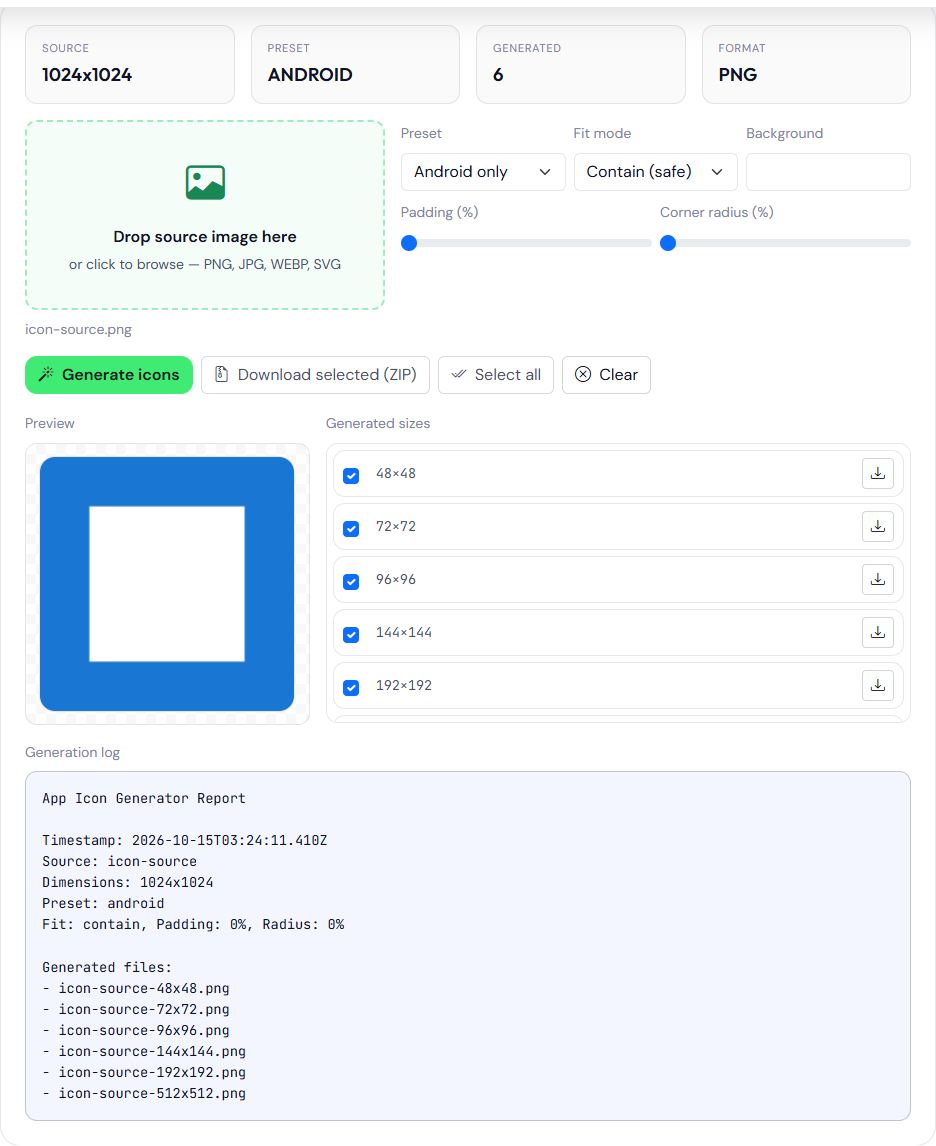
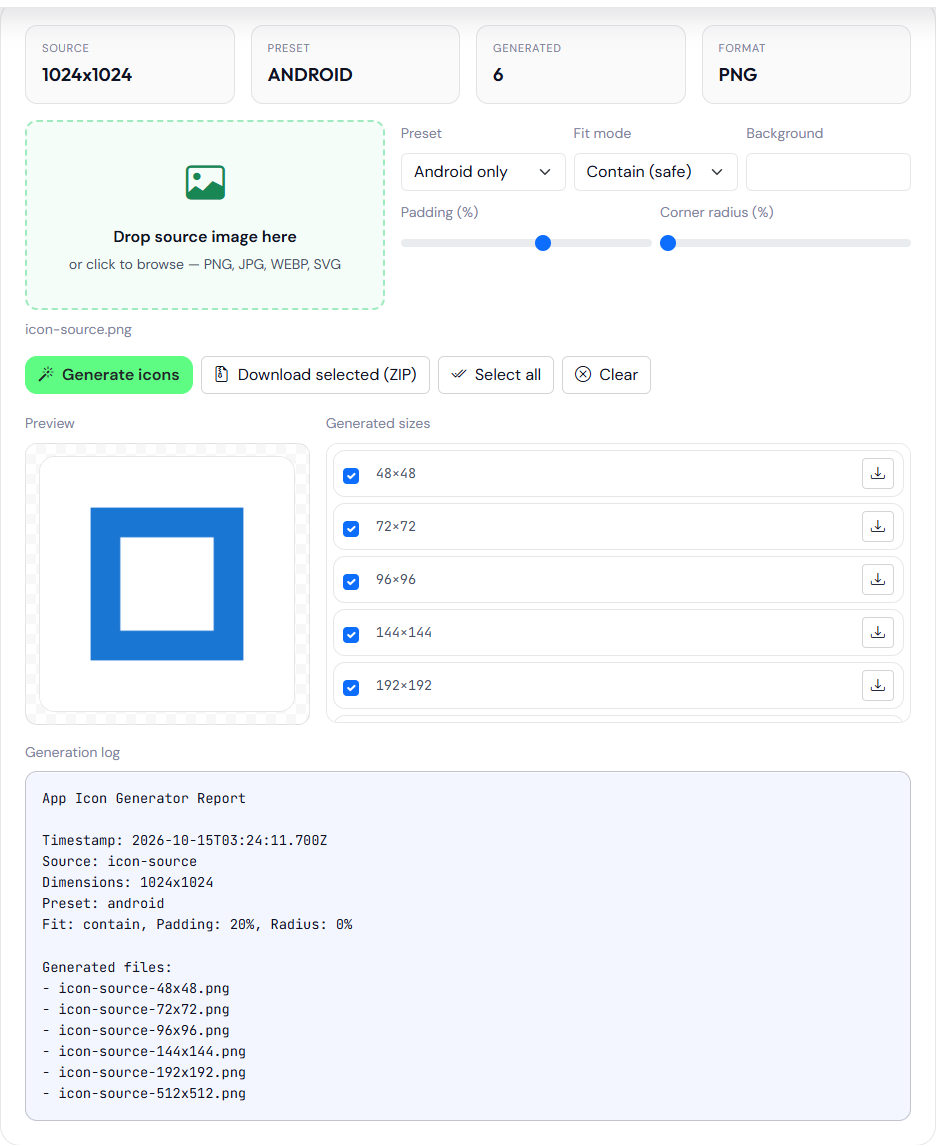
The generation log for that Android preset, padding 0, lists the six names the zip would contain. The zip button was not saved to disk for this page. The names are what the log printed:
icon-source-48x48.png
icon-source-72x72.png
icon-source-96x96.png
icon-source-144x144.png
icon-source-192x192.png
icon-source-512x512.png
Select the sizes you want before you download. The zip contains the checked rows only. Generate again after you change fit, padding, radius, or background. The previous canvases are not updated until you do. The background control is a color behind the bitmap, not a separate adaptive background layer. If you need a transparent legacy icon, set a padding of 0 and a source that already has transparent pixels, and leave radius at 0 so you are not adding a second crop. JPG sources have no transparency. They will fill the square with the background color wherever the fit mode leaves a gap.